Links: Traveller’s edition

Pardon the mess, but I’m traveling, so the pile below pretty much reflects the state of my mind right now. In no particular order, then:

  • Network links in Google Maps: Here’s the official developer’s account of the new-found support for KML network links in Google Maps, over on Maps API Blog.
  • Arc2Earth v.2: Mentioned better late than never: Arc2Earth Version 2 is out of beta, reports Briant Flood, with a list of what’s new — including KML 2.2 support and full two-way importing/exporting of KML and GeoRSS.
  • No GE in Iran: You can’t download Google Earth in Iran either, it turns out. Punitive US export regulations are the culprit.
  • 3D Virtual Earth building how-to: Earthware blog has a review of the new 3D building tool in Microsoft Virtual Earth and also a video tutorial.
  • Plone mapping: Sean Gillies’s PleiadesGeocoder, a plugin for the Plone CMS that lets him add geospatial attributes to content and then output it as KML or GeoRSS gets an update. Sean is using it for the Pleiades atlas of ancient places.
  • MSFT => OGC: Microsoft rejoins the Open Geospatial Consortium (OGC). The OGC is now responsible for making KML an open standard, so it is fitting that Microsoft should join a few days after adding support for KML in Virtual Earth.
  • Atmospheric pollutants as KML: AlphaGalileo reports on a new KML file by the Netherlands Institute for Space Research that shows global atmospheric pollution concentrations as measured by ESA and NASA satellites. Here’s the page with the network link, with folders for carbon monoxide, methane, nitrogen dioxide and aerosols. There are also some nice context layers, such as population densities and rice paddy distribution. (Rice paddy use corresponds with methane levels, it turns out.)
  • Nokia N810: Nokia is turning itself into a moving target for Apple. Enter the Nokia N810, my next object of lust. (Press release.) It comes with built-in GPS and voice commands so that it pretty much can take over as a satnav device in the car. The reasons for that purchase of Navteq are getting ever clearer — Nokia is pulling out all the stops on mobile computing. The N810 doesn’t compete directly with the iPhone, as it has no phone, though it lets you Skype via wifi or a bluetooth phone, which the iPod Touch doesn’t let you do.
  • Universal avatars: IBM and Linden Lab (makers of Second Life) are working on “making avatars interoperable” between virtual worlds, reports the NYT. Google and a slew of other companies are on board, says the article. Tim O’Reilly chimes in on the significance of this. These “avatars” will soon be used beyond the 2D 3D web, methinks. They’ll become extensions of your profile on Facebook, or whichever Facebook competitor ends up being the most open. One property of your profile might be where you are at this moment, and that might be visible in Google Earth. Soon, the web will come to you, and your avatar will be your way of telling people what or where you’re paying attention to.
  • Google + Multiverse redux: Remember the Multiverse-Google partnership that was supposed to be announced last week, as reported breathlessly by CNET in a scoop? Has anyone heard anything more about this from either Google or Multiverse? Did CNET jump the gun on the story? The technology really does seem to exist — CNET has a screenshot of “Architectural Wonders” — but where is the official announcement?
  • Virtual Worlds + MSFT: Microsoft is also getting into the 3D virtual world business: “Schiappa declined to give more specifics about Microsoft’s virtual world plans, but hinted that anything Microsoft does will likely involve its Virtual Earth mapping platform and probably its robust video game business.”
  • Community mapping feeling the heat? So the user-generated map-hosting business has been getting a lot tougher, mainly because Google Earth’s own product is so now robust, no-nonsense, and comes with the ability to add your own profile, so that it gets that community feeling. Meanwhile Platial is merging with Frappr, and other players like Everytrail are beefing up their features and/or finding their niches (see Bikemap.de, walk.jog.run, Wikiloc, Tagzania or Crankfire). Let’s hope the best innovators win — there are always plenty of features that Google Maps doesn’t carry, though the variety and versatility of those mapplets requires some serious thinking out of the box. Perhaps by offering analysis tools?
  • Map lit: MIT Technology Review’s How Google maps the world. One for the parents.
  • Virtual Earth reference links: Virtual Earth’s interactive SDK version 6.0, with an explanation of what’s new. MapCruncher, already the best and easiest tool for easily placing overlays onto the map, gets an overhaul too, and is now officially in Beta (Windows only).
  • EarthNC content update: Tide predictions and marine weather forecasts. For the US; registration required.
  • S60 mapping: Google Maps Mobile gets a GPS location function. Memo to self: Test this and compare to Mobile GMaps when you have a moment.
  • PhotoKML: PhotoKML lets you create KML files for georeferenced photos on your Mac.
  • Where 2.0: Where 2.0 2008 will be on May 12-14 in California, as usual. There is a call for participation; deadline: 26 November, 2007.
  • Seeking alpha: Leszek Pawlowicz over at Free Geography tools is looking for alpha testers for a new Google Earth utility he’s making. His previous tool was a KML time embedder for PC.
Network links come to Google Maps

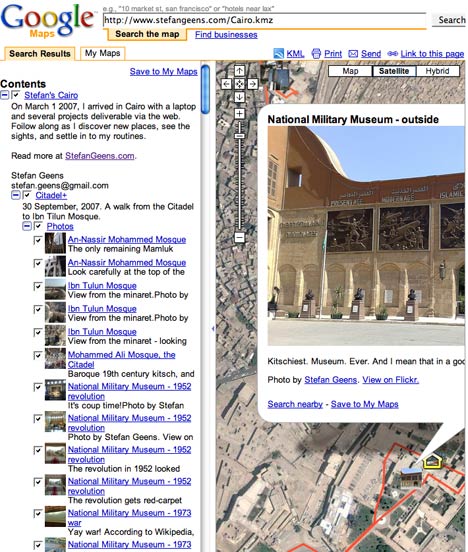
Never a dull moment in the brave new mapping world. Yesterday, Microsoft introduced support for a sizable subset of KML in Virtual Earth. Today Google adds support for the network link to Google Maps. The network link is the single-most powerful KML tag in Google Earth; it lets you subscribe to live, changing datasets, and it can also be used to return data dynamically, customized to your view or other inputs.

Here’s a network link I prepared earlier:-) Notice too the way in which Google Maps preserves the folder structure of the KML:

netowrklink.jpg

(Via Digital Earth Blog. Mickey is very happy:-)

Microsoft Virtual Earth gets KML support, 3D bird’s eye view, tours…

Microsoft Virtual Earth has just had a major overhaul, as per this press release. Virtual Earth/Live Maps blog has a much more informative blog post on the changes, the most relevant of which for this blog are:

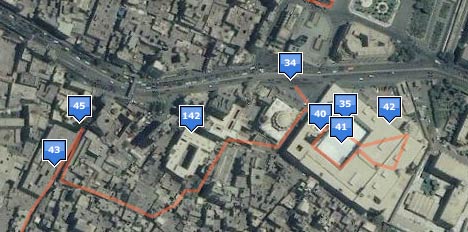
Importing of GeoRSS and GPX and…. KML! KML placemarks and polygons (such as the KML file of my walks through Cairo) work wondefully for most (though not all) files I tried and can be viewed in Virtual Earth via a simple URL structure (see the link above).

msftpolygon.jpg

Network links don’t work in the current version of Virtual Earth. Still, the presentation of placemarks is well done, both as popups and in the left-hand column.

msftpopup.jpg

One thing that is missing is the wider context that a KML file might have — for example, the folder structure of a KML file is not represented in the left-hand column when viewed in Virtual Earth.

As an aside, in June at ISDE5 in a public forum I asked Microsoft if they would support KML in the future and Google if they would support GeoRSS in Google Earth in the future. Microsoft was non-committal in its answer, but today delivered. Google said it would definitely support GeoRSS, but hasn’t yet done so, despite what I imagine is a relatively simple tweak.

Bird’s eye view in 3D. This looks amazing, but I’m travelling with a Mac so I must experience it vicariously, as 3D in Virtual Earth is Windows-only. With hindsight, the obvious answer to the question “What do we do with PhotoSynth?” is “Use it on bird’s eye view images.” James Fee loves it too, and points to this video:

3D tours. Google Earth’s touring abilities have always been somewhat rudimentary — you can’t customize the tour for individual items, nor can you really control it as a user. Microsoft’s turned that into an opportunity to make tours a lot more usable. Again, I can’t experience it myself, but here is a video teaser:

You can even record video of your tour inside the browser! You need Google Earth Pro ($400) to do that natively.

3D modelling: Just like how Google Earth lets you import Collada-based models exported as KMZ files (usually made with SketchUp), Microsoft now lets you import 3D models using Dassault’s 3DVIA technology. Their partnership was announced in June, and has now borne this. Virtual Earth Blog describes it thus:

We partnered with Dassault to create a new application to allow anyone to create 3D imagebuildings and other objects in Virtual Earth. 3DVIA Technology preview allows you to create textured buildings and save them directly into your map Collections. This technology preview is the first 3D modeling offering between Dassault and Microsoft. We’re looking forward to community feedback from this release to help shape 3DVIA as it moves from technology preview to a first official release. […] Through our partnership we’ve created a new consumer tool that seamlessly integrates with Live Search Maps Collections. To try it out, switch into 3D in Firefox or IE on windows, right click and choose ‘Add a 3D Model. You can share your Collections that contain models just like any other and later this year we’ll release an update to our javascript map control that will let you integrate your models into web mashups! Much more on this feature area here on the VE blog over the coming days.

I do hope the 3D plugin for the Mac is coming soon, because publishing all this just to Windows does not a universal geobrowser make.

Better search: Ultimately, however, it is all about geosearch. How do Google Maps/Earth and Virtual Earth stack up in terms of content and usability? I decided to go looking for my favorite island, Sandhamn, in the Stockholm Archipelago.

Google Maps lets me “Search the Map” as a default, and I get to enter my search term into one text field and press enter. Typing “Sandhamn” in Google Maps returns four options, and I am asked to pick the right one. The island I am looking for is among the options.

In Virtual Earth, I am now also asked to enter text into one search field, instead of the two it had previously (and which was regarded by those who worry professionally about these things as a usability no-no). But the default search database is for businesses, as I discovered after going too quickly and getting no results.

msftsearch.jpg

Perhaps Microsoft figures that most users are looking for businesses when they do a geosearch — I usually don’t but my geo-search habits are probably not mainstream. Still, a default that searches for businesses only seems to me to limit the results unnecessarily. I’d prefer to see top results for all categories instead, or have some smart algorithm guess my intentions — for example, if there are no businesses named Sandhamn, perhaps there is a place with that name?

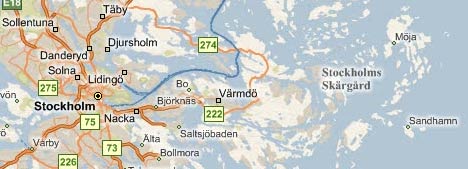
Changing the search database to Locations and then searching for “Sandhamn” in Virtual Earth returns one location in Southern Sweden. Unfortunately, it’s not the island I am looking for. Might it be listed under “Collections”? No. But if you scroll up the coast of Sweden, and look to the right of Stockholm to the edge of the archipelago, Sandhamn is nevertheless clearly marked. It’s just that search won’t help you find it:

sandhamnmsft.jpg

In this example, Microsoft still needs to do some work to sync its maps with its database. I’d also prefer an even simpler search window, one that eliminates that extra click for non-business searches.

Of course, the above is not a representative sample, but rather one anecdotal case. Your results may differ. Still, people tend to choose their default mapping tool based on a few such cumulative experiences.

(Yet another rant: No I can’t run Virtual Earth on my Mac in 3D mode because Parallels doesn’t yet support the 3D technology the plugin for Windows needs. And No I can’t run Virtual Earth in Boot Camp because I have the latest MacBook Pro, and Apple hasn’t yet written Windows drivers for its graphics card, no doubt because OS X 10.5 has been delayed. I’m blaming the iPhone for this:-)

Virtual Earth bird’s eye view: Dealing with the censors

Microsoft Virtual Earth just got some new bird’s eye imagery, including of Stockholm. It’s lovely, but it also serves as a good example of where the limits of a country’s sovereignty lie, and the implications for censorship.

A cold-war era law still on the books in Sweden allows Lantmäteriverket — the state GIS agency — to censor maps and imagery of “sensitive” sites in Sweden. One example of such censorship came to light when satellite imagery in Google Earth showed the signals intelligence HQ on the outskirts of Stockholm, whereas local Swedish mapping sites showed… woods.

Why was the satellite imagery in Google Earth not censored? Because Sweden’s sovereignty does not extend into space. Countries do control their air space, so they can legally censor the collection of imagery using airplanes.

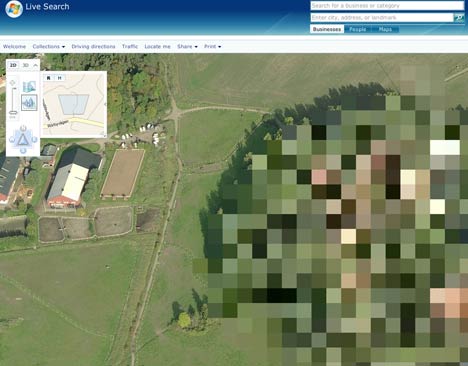
I wondered if Microsoft’s recently commissioned bird’s eye view imagery is still subject to censorship, so I went looking for the same spot. Sure enough, it is pixellated:

lantbefore-4.jpg

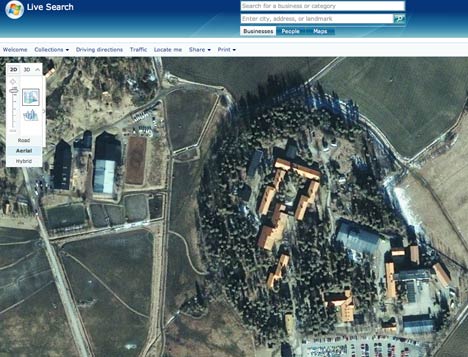
Ironically, if you switch back from bird’s eye view to the overhead view, taken by satellite, you get better resolution again:

lantafter-5.jpg

On a positive note, Lantmäteriverket is no longer trying to camouflage its censorship, for example by painting fake trees over the buildings; this made their imagery and maps untrustworthy. The Dutch use a similar pixelation technique when they censor their aerial imagery — at least this way you know that you don’t know what’s going on there, and that’s better than not knowing that you don’t know.

Updated: Spot Image layer, link to Google Earth Gallery

Two updates to Google Earth to mention quickly before heading off for a night on Stockholm town celebrating the sixth anniversary of the Swedish blogosphere (they keep good track of such things here:-):

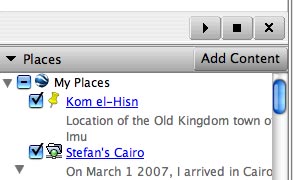
  • Fire up your copy of Google Earth 4.2 Beta to notice an “Add Content” button in the Places sidebar pane. It takes you to the Google Earth Gallery, where plenty more KML awaits. This allows Google to promote content by making it more accessible from within Google Earth. It doesn’t provide quite the same impact as getting a coveted default layer in the Layers pane, but it’s a nice boost nonetheless. (Via Google Lat-Long Blog, which also points us to the submission form for Google Earth Gallery.)
    addcont.jpg
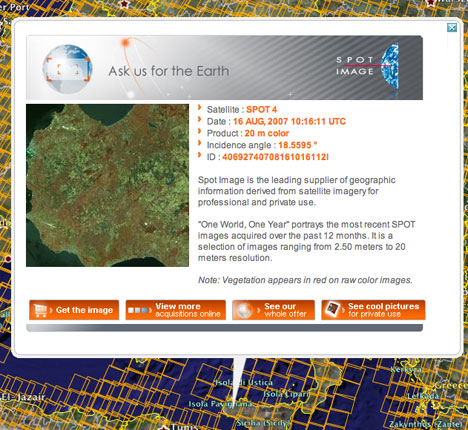
  • DigitalGlobe’s coverage of the Earth has long been indicated by a default layer. Now another remote sensing content provider, France’s Spot Image, gets its default layer. The tile outlines show all imagery collected over the past year, and the associated popup lets you click through to an ordering screen.

    At 2.5m-20m per pixel, the resolution isn’t nearly as detailed as DigitalGlobe’s, but the coverage is more complete and usually more up-to-date. Ordering prices are ‚Ǩ1,900-‚Ǩ8,100 per image for the ones I checked, so this is only useful for institutions, whose employees can now of course use Google Earth 4.2 Free at work legally.

spotim.jpg

Google Earth gets YouTube layer

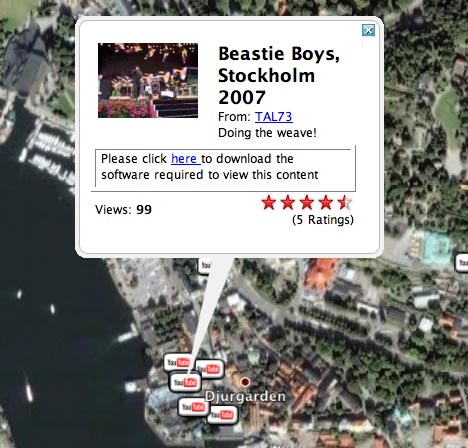
It’s been expected for a while, but now here it is: The YouTube layer in Google Earth, for georeferenced YouTube videos. It’s in the Featured Content folder.

beastie.jpg

Mac users need to click on the photo to go to the YouTube page to see the video. PC users get to see the video embedded in Google Earth. Currently, the time-stamp info for the video isn’t used — you can’t browse chronologically through videos for a given region, say using the time browser. Perhaps such a feature will become more pressing when there are masses more georeferenced YouTube videos out there.

Remember, you can go back to videos you have already uploaded and georeference them now. (Via PCPro)

[Update: Google’s official announcement]

SF Chronicle on Google Earth and India, Israel imagery

It’s remarkable how bad reporting, unchallenged, can become assumed true, eventually requiring an official denial in a national paper.

Witness the case of the 8-month old piece of nationalist-patriotic wish-thinking masquerading as an article in the Times of India: Google Earth agrees to blur pix of key Indian sites. For some reason it surfaced in again a few weeks ago in an RSS feed for a news search for “Google Earth”, probably due to a misfired ping or somesuch.

When I read it, I had a sense of deja vu, and then saw the date: February 4, 2007. It turns out I had done a hatchet job on the article then that turned out to be accurate. Every subsequent data update has seen more and better imagery of India, not less — which a quick visual check of the most obvious “senstitive” Indian sites can confirm.

But this didn’t stop the popular blog Gridskipper from including the Times of India article as recent news in a post dated October 8 about censorship in Google Earth.

(Additionally, Gridskipper completely fails to grasp why some imagery is censored in Google Earth. Google buys imagery from providers. These providers are sometimes required by law to censor their imagery. Google isn’t required to buy censored imagery from these providers, but sometimes such imagery is cheap/free and/or “good enough”; over time, censored imagery has generally been replaced with uncensored imagery. The only documented exception to date: Basra, where post-war resolution imagery was replaced with pre-war imagery by Google at the request of allied forces there. In any case, the Gridskipper article does Google a disservice by attributing far more preëmption to the company regarding censorship, when in fact it has only actively censored once (and it was once too many).)

Gridskipper’s uncritical link to that Times of India article subsequently appears to have caught the eye of Matthew Kalman at the San Francisco Chronicle, who on Oct. 10 wrote a substantive article primarily concerned with the new satellite imagery of Israel. Kalman gets a Google spokesman to categorically deny that Indian imagery had been blurred:

Griffiths also denied reports that Google images of India were deliberately blurred or distorted to protect security installations in that country.

“Google does not intentionally degrade or distort image quality. However, we use the imagery that comes to us from our data suppliers, some of which includes clearly blurred or degraded imagery. For example, an airbase in the Netherlands, the vice president’s residence in Washington, D.C.,” she said.

Nul points, then, to Gridskipper and the Times of India, but kudos to the San Francisco Chronicle, not just for setting the record straight, but also for finding a voice of reason to counterbalance the hysterics in the previously linked Yediot Ahronot article, where opinionator Alex Fishman calls Google Earth “pure gold for terrorists”. Writes Kalman:

But Professor Gerald Steinberg, chairman of the political science department at Bar-Ilan University in Ramat Gan, disagrees. He says Israel has been prepared for the new Google Earth images, which he says do not endanger Israel’s security.

“Israel has had 10 years to prepare for this,” said Steinberg, who helped draft an agreement with the United States limiting satellite resolution imagery. “It was the Clinton administration’s policy to make available high-resolution imaging. Israel was granted a cushion which for clear security reasons does not put all the available information on the Internet.

“The satellite pictures were available before now to anyone with a few thousand dollars. They are not real-time pictures, and they were not taken yesterday. I don’t think this is a major change in security.”

Steinberg is clearly referring to the Kyl-Bingaman Amendment, just recently blogged here. I wonder if Steinberg is implying that the amendment’s purpose has been served, and that we can now revoke it?

My only major peeve with the SF article is this: What’s up with the use of yards as a unit measure? Even worse, what’s up with 2-meters per pixel resolution turning into “one pixel per 2.4 square yards”? That should read “one pixel per 2.2 yards”, or else “one pixel per 2.2 yards squared”, or else “one pixel per 4.8 square yards”. Innumeracy has a habit of undermining arguments.